Note
Go to the end to download the full example code
Gaussian Smoothing#
A common low-pass filtering technique is Gaussian smoothing, which applies a Gaussian window to the data with a moving
average.
We provide a class based implementation of Gaussian smoothing in the GaussianFilter
class.
import matplotlib.pyplot as plt
from mobgap.data import LabExampleDataset
from mobgap.data_transform import GaussianFilter
Loading some example data#
example_data = LabExampleDataset()
ha_example_data = example_data.get_subset(cohort="HA")
single_test = ha_example_data.get_subset(
    participant_id="002", test="Test5", trial="Trial2"
)
data = single_test.data_ss

data.head()
Applying the Gaussian filter#
We need to specify the standard deviation of the Gaussian window. Note, that we need to specify the standard deviation in seconds to make the parameters of the filter independent of the sampling rate of the data. It will be converted to samples internally.
gaussian_filter = GaussianFilter(sigma_s=0.1)
gaussian_filter.filter(data, sampling_rate_hz=single_test.sampling_rate_hz)
filtered_data = gaussian_filter.filtered_data_

filtered_data.head()
We can also access the standard deviation in samples that was calculated from the provided sigma_s and the sampling rate.
10.0
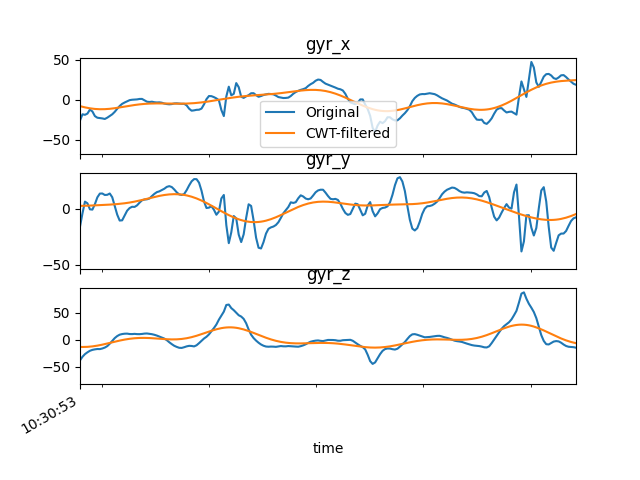
We will plot the filtered data together with the original data.
fig, axs = plt.subplots(3, 1, sharex=True)
for ax, col in zip(axs, ["gyr_x", "gyr_y", "gyr_z"]):
    ax.set_title(col)
    data[col].plot(ax=ax, label="Original")
    filtered_data[col].plot(ax=ax, label="CWT-filtered")

axs[0].set_xlim(data.index[300], data.index[500])
axs[0].legend()
fig.show()
Total running time of the script: (0 minutes 1.384 seconds)
Estimated memory usage: 9 MB